Sunday, February 19, 2012

366 of 2012 - Day 50

366 0f 2012 - Day 50. Picaboo's challenge for this week is 'Shooting With Creative Angles'. I can do that. I put the camera on the floor, aiming up at the ceiling, and tried to entice Tibboh the Terrible into coming close to have a sniff. I won't lie, the end result required a bit of force. But I promise, no Tibboh's were harmed in the taking of this photograph.

Taken with my Canon PowerShot G12, f/2.8, 1/20 sec., ISO-1000, no flash. Next time I'm going to try doing a project like this with a remote shutter release! Adjusted only slightly in Photoshop - Vibrance and High Pass Filter (but only a tiny bit in both cases).

Saturday, February 18, 2012

366 of 2012 - Day 49

366 of 2012 - Day 49. Picaboo has challenged us to do self portraits. I'm not doing a self portrait today, but here is a picture of an object I deal with frequently at work.

Can you guess what it is?

Taken with my Canon PowerShot G12, f/2.8, 1/20 sec., ISO-1000, pattern metering, no flash, camera hand held. Applied Unsharp Mask, though only very slightly, cropped and added text in Photoshop.


This is a stainless steel 4 vane paddle for a rotary machine that works with dry bulk materials. I work for a company that deals with process machinery and though we don't stock much, we do stock replacement parts for some of the machinery we sell. Don't ask me much more about this thing - I deal with the bookkeeping end of it, not so much the sales. Amazed, eh? Yeah, process machinery is all kinds of cool!

Friday, February 17, 2012

366 of 2012 - Day 48

366 of 2012 - Day 48. Picaboo has challenged us to do self portraits, this week. The shot for today is of me and my daughter. I don't much care for the photo. I like the two of us, but I don't like the colors or the background and I couldn't manage to fix it to a point where I liked it. But Weeb and Wonko both like the shot, so here it is (like the rabbit ears the kid is trying to add to my head?).

Taken with my Canon PowerShot G12, f/3.5, 1/30 sec., ISO-320, 6 mm focal length, max aperture 2.96875, pattern metering, no flash, white balance auto. I applied a slight Unsharp Mask adjustment and fiddled with Exposure a bit in Photoshop.

Thursday, February 16, 2012

366 of 2012 - Day 47

366 of 2012 - Day 47. Picaboo has challenged us to do self portraits, this week. Like my last couple of self portraits, I have completely demolished the original shot in Photoshop.

Original shot taken with my Canon PowerShot G12, f/2.8, 1/50 sec., ISO-800, 6 mm focal length, max aperture 2.96875, pattern metering, no flash, white balance auto. Applied a Dark Strokes filter, adjusted Color Balance and Exposure in Photoshop. I promise I'll stop now. LOL

Wednesday, February 15, 2012

366 of 2012 - Day 46

366 of 2012 - Day 46. Picaboo has challenged us to do self portraits this week, but my daughter wanted me to do a portrait of her in the style that I'd done my self portrait yesterday.

Taken with my Canon PowerShot G12, f/2.8, 1/15 sec., ISO-1600, 6 mm focal length, max aperture 2.96875, pattern metering, white balance auto, no flash. I went crazy in Photoshop again, altering Color Balance, Hue / Saturation, Exposure and Curves.

Tuesday, February 14, 2012

366 of 2012 - Day 45

366 of Day 2012 - Day 45. Picaboo has challenged us to do self portraits, this week. As I mentioned a couple of days ago, I'm not of fan of having my photo taken. I'm not keen on my hair or eyebrows or skin. And yet somehow I'm still completely gorgeous! This is the curse and benefit of being a Gemini. So sorry that this isn't as great as yesterday's snow drop photo. And like my last self portrait, I have completely demolished the original shot in Photoshop.

Taken with my Canon PowerShot G12, f2.8, 1/30 sec., ISO-400, no flash. Altered Color Balance, Curves, and Hue / Saturation in Photoshop when I cropped and added text. This makes me laugh. But really, it is far more of my face than anyone needs to see. My apologies for that. LOL

Monday, February 13, 2012

366 of 2012 - Day 44

366 0f 2012 - Day 44. Snowdrops. Not feeling good so not really into the self portrait thing today.

Taken on Canon PowerShot G12, f/4, 1/40 sec., ISO-80. Cropped to 5" x 6" 180ppi, because it was just the best crop for the photo. Applied Unsharp Mask and High Pass Filter in Photoshop when I cropped and added text.

Sunday, February 12, 2012

366 of 2012 - Day 43

366 of 2012 - Day 43. Picaboo has challenged us to take a self portrait. Like many photographers (good or otherwise), I would rather be on the other end of the camera. So if I HAVE to take pictures of myself, I'm going to Photoshop the crud outta those shots.

Taken with my Canon PowerShot G12, f/2.8, 1/20 sec., ISO-800. I messed with Brightness / Contrast, Curves, Hue / Saturation, Unsharp Mask, you name it. I love Photoshop.

Saturday, February 11, 2012

ANIMAL ABUSE PREVENTION FAIL

Seriously. Knock it off.

366 of 2012 - Day 42

366 of 2012 - Day 42. I love the sky, especially when the clouds are putting on such an awesome show!

Taken with my Canon G12, f/4, 1/80 sec., ISO-80, 6mm focal length, max aperture 2.96875, pattern metering, white balance auto. I monkeyed with Brightness / Contrast and Levels in Photoshop, when I cropped and added text. Like the previous 2 days, cropped to 180 ppi, rather than 72 ppi.

Friday, February 10, 2012

366 of 2012 - Day 41

366 0f 2012 - Day 41. Trees. You're amazed, I know.

Taken with my Canon PowerShot G12, f/4, 1/250 sec., ISO-80, 6mm focal length, max aperture 2.96875, pattern metering, no flash, white balance auto, camera was hand held. Adjusted Exposure, Vibrance and applied Unsharp Mask (only a little bit) when I cropped and added text. Like yesterday, I cropped to 180 ppi rather than 72 ppi to try and capture the details. It's amazing how much you lose when you reduce to 72 ppi. Photography and web graphics are completely different sciences!

Thursday, February 9, 2012

366 of 2012 - Day 40

366 of 2012 - Day 40. You know what's almost as good as Picaboo's theme of sunset silhouettes, this week? Moss.

Wait. What?

Okay, that's only going to be funny to fans of IT Crowd... and really, even then it's not really that funny, but I'm tired, so these are the jokes, folks!

THIS is my moss photo. Taken with my Canon PowerShot G12 on Auto, Macro setting, f/3.2, 1/30 sec., ISO-80, 6mm focal length, max aperture 2.96875, pattern metering, white balance auto, camera was hand held. Unsharp Mask and High Pass Filter applied (only slightly) in Photoshop when I cropped and added text. I cropped this one at a higher resolution than usual, because the fine detail is quite pretty and it just got lost in the 72ppi reduction.

Wednesday, February 8, 2012

366 of 2012 - Day 39

366 of 2012 - Day 39. Picaboo's challenge this week is for sunset silhouettes. I did a foggy Weeby nearly silhouette. I did a sunset Weeby silhouette. I did a just-past-sunset, awesome dark blue sky, complete with sparkly star, Weeby silhouette. Today I did a sitting by window Weeby not-quite silhouette. Nailed it. Sorta. I like it, in any case. It just proves to me again that I really need to learn how to use the settings on my camera. All the settings are daunting.

Taken with my Canon PowerShot G12, f/2.8, 1/125 sec., ISO-1600, 6 mm focal length, max aperture 2.96875, pattern metering, no flash, white balance auto, used a tripod. I adjusted the Brightness / Contrast a bit when I cropped and added text in Photoshop.

ANOTHER UNDERWEAR RANT

When I was pregnant, I had issues with maternity panties. They are the reason I only have one child.

A few years ago, when I was no longer pregnant, the brand of underwear that I had been purchasing for YEARS changed from S, M, L, XL, XXL to size numbers. That annoyed me and it took several purchases before I figured out my magic number. It took me a while longer to realise that not all makes of that brand fit, even though they were purchased at the same size number.

I hate underwear makers. But as I imagine the actual people making the goods to be children in third world countries, making pennies a day so their families may eat more than mud soup, I let it slide. I mean, those poor underwear making kids!

Now it is strange to admit this, but a family friend passed away (I still miss her) and her husband was giving away her possessions to family and friends. He gave some underwear, still brand new, with tags on and everything, to my mother. She gave them to me. I said, "Those are not going to fit me, Mom." She was quite insistent that they would and it was time for me stop wearing baggy, ugly clothes and start dressing like a real person and not a bag lady. Okay, she didn't say that with words, but she said it with her eyes. With love.

So I took them home.

And they sat in my dresser.

For weeks.

Then it occurred to me that my clothes WERE getting a bit baggy. I decided it was time for some new undies, since the ones I had been sporting were becoming akin to a horrid display of droopy granny panties. Then I started to accept the fact that I had been losing weight and maybe... just MAYBE these panties from a friend who had left us much too early, panties much nicer than ones I'd ever bought for myself in years, mind you, they MIGHT just fit. But they probably wouldn't.

So I tried them on.

They fit.

They fit!

How odd.

It had to be a manufacturer's error. Surely if I went and bought new panties at this size, they would not fit. I'd been fooled by numbers in the past, after all.

So Wonko, Weeb and I went out shopping. Weeb needed new socks. And underwear. So I figured I'd look. Just look.

I kept looking at the packages. What a lot of stupid underwear choices. I don't want so many choices. And how am I NOT in XXL territory? I FEEL XXL. I pick up a package and show it to Wonko. "These won't fit me."

"They will," he says.

"Nope, we'll buy them and take them home, I'll try them on and just feel sad," I said.

"They'll fit," he said (in a way that suggested that he was quite DONE with being in the mall and wanted desperately to NOT be in the mall OR hear me complaining about panties anymore and just by some already).

So we bought some.

But they were not going to fit.

So when we got home, I tried them on.

And they fit!

Amazing!

Now, and this is why I continue to hate underwear manufacturers, the blues ones fit. Those were the ones I'd tried on right away. The white ones fit. I tried those ones on the next day.

The problem was the black ones. One pack consisted of a blue, a white and a black pair of panties (why are they called pairs?). The black ones, in both packages I bought, were SLIGHTLY smaller, slightly tighter than the other two pairs in the package.

WHY is one pair of panties smaller than the others in the pack?!

I check the label. It says the right size. But for some reason, it's just a bit tighter and makes a glorious ripping sound at the elastic when I was in the bathroom doing bathroomy things that involve underpants.

I curse you, underwear manufacturers! I curse you to heck!


(And in case you are interested in the Panty Rant from Pregnancy, go here: http://yasherthegreat.blogspot.com/2010/03/maternity-panties.html.)

WINNING - SHOWER

I love those special moments when you get out of the shower and realise that you've forgotten to rinse the conditioner out of your hair. Winning!

BRILLIANT IDEA

Brilliant idea! Make re-usable lunch bags with FML printed on them (with 'forgot my lunch') printed underneath in tiny letters. Get rich!

Tuesday, February 7, 2012

366 of 2012 - Day 38

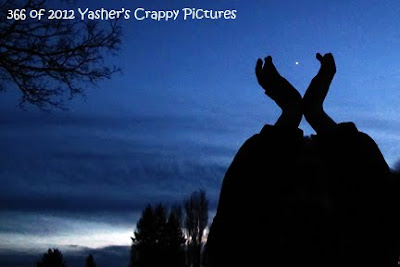
366 of 2012 - Day 38. Picaboo's challenge this week is silhouettes at sunset. Weeb and I missed sunset, but how could we say no to that beautiful blue sky? So here is Weeb, who was much more cooperative than yesterday, with Sirius in her hands.


Now tell us about the picture, Yasher! Okay, I can do that, too. Taken with my Canon PowerShot G12, probably on Auto, though I was fiddling with settings, so I'm not positive. F-stop f/2.8, 1/20 sec. exposure time, ISO-1600, 6 mm focal length, max aperture 2.96875, pattern metering, no flash, white balance on auto, used tripod. I did adjust the Curves a bit to make Weeb's silhouette more silhouettey. It also made the sky a teensy bit bluer than the original photo, but I think it's closer to the true blue of the sky, at the time. Cropped, text added when I adjusted Curves in Photoshop.

What? You want to know about this picture, too? You're very demanding tonight! Weeb was doing butterfly hands. Why? We just thought it would look cool. You have to admit, it kinda does. F-stop f/2.8, 1/13 sec. exposure time, ISO-1600, 6 mm focal length, max aperture 2.96875, pattern metering, no flash, white balance on auto, used tripod. I adjusted the Exposure a bit to make Weeb darker. Adjusting Curves just made it look too harsh for some reason, though it worked well on the photo above.

So what's this all about? Well it's the Moon. A few marvellous photographers have been taking moon photos and with tonight's full moon, it was hard to resist. Except it was cloudy, as you can tell from the above photos. But our 'moon hunt' was amusing. Not too bad for a non dSLR camera and a cloudy night, eh? They don't call us Yasher's Crappy Pictures for nuthin'! I took this on Manual mode, but had NO idea what I was doing. F-stop f/4.5, 1/125 sec. exposure time, ISO-80, exposure bias +2 step, 30 mm focal length, max aperture 4.34375, pattern metering, no flash, white balance on auto, used a tripod. Cropped, applied a very slight Unsharp Mask and added text in Photoshop.

Monday, February 6, 2012

366 of 2012 - Day 37

366 of 2012 - Day 37. Picaboo challenged us to take a Sunset Silhouette. So I did. And it's awesome! Well, it doesn't suck, so I'll take it, for now. Weeb was not a happy participant, so luckily I got this on my first shot (though I made her suffer though a couple more). No hands were frozen completely in the shooting of this photo, despite what she might tell you.

Taken with my Canon PowerShot G12, on Auto, I think, though I might have been on P mode. F-stop f/4.5, 1/1000 sec. exposure time, ISO-200, 30 mm focal length, max aperture 4.34375, pattern metering, white balance on auto, no flash. I did adjust the Brightness and Hue in Photoshop when I cropped and added text.

Sunday, February 5, 2012

366 of 2012 - Day 36

366 of 2012 - Day 36. Another foggy day. I don't think we'll be seeing a sunset for a while, though I'll keep my camera at the ready for Picaboo's sunset silhouette challenge.

Taken with my Canon PowerShot G12 on Auto, f/4, 1/1250 sec., ISO-160, 21mm focal length, max aperture 4, pattern metering, no flash, white balance auto. I applied Unsharp Mask in Photoshop when I cropped and added text, but only slightly. I mucked around with vibrancy and color tones, but I liked the photo as it was originally and only sharpened it to make the branches at the top pop a bit.

Saturday, February 4, 2012

366 of 2012 - Day 35

366 of 2012 - Day 35. Picaboo's challenge, this week, is to take a silhouette shot at sunset. So Wonko, Weeb and I trudged out to Steveston to meet my folks for a sunset walk, three cameras and two tripods in hand. The closer we got to the little fishing village, the foggier it got. We figured it might still make for some cool photography.

There was something evil in that fog - it was called 'The Butt Chomping Wind of Chilliness'! Plus our lenses kept succumbing to moisture, so we made it a short trip. But we did get some nice shots, even though nothing quite fit with this week's theme.

Taken with my Canon PowerShot G12 on Auto (my gloves wouldn't have allowed me to change any settings, even if I'd wanted to!) - f/3.5, 1/80 sec., ISO-80, 14 mm focal length, max aperture 3.625, pattern metering, no flash. This is a SOOC (straight out of the camera) shot. I only cropped and added text.

I'm adding these pictures, because I liked them too. The last shot is the Fisherman's Needle.

Friday, February 3, 2012

366 of 2012 - Day 34

366 of 2012 - Day 34. This is one of the crystals that hang in my front window. It makes awesome wall rainbows, from time to time. I didn't like the original photo, so my altering of the Unsharp Mask and High Pass Filter, which I do to most photos, I went BIG TIME with today. I liked the result, though it's certainly not a sign of good photography. Hey, if you want GOOD photography, there are billions of blogs for that (this just isn't one of them). Heck, it's not even a sign of good Photoshopping!

Taken with my Canon PowerShot G12 on Auto - f/4, 1/40 sec. exposure, ISO-160, 6 mm focal length, max aperture 2.96875, pattern metering, no flash, white balance auto.

Thursday, February 2, 2012

366 of 2012 - Day 33

366 of 2012 - Day 33. Not a lot of sunrise opportunity today, but I did manage to catch this shot. I had to take a video of the trees behind me as well, as the birds were all singing to each other. It was a beautiful sound and so reminded me that spring is coming!

Shot with my Canon G12. I was playing with settings and I think this was taken on the P (program) setting, adjusting to Sunny. Details: f/4, 1/1000 sec., ISO-80, 12 mm focal length, max aperture 3.625, pattern metering, no flash, white balance on auto. Hm. Maybe this was an Auto shot, after all! I did tweak the Vibrancy slightly in Photoshop when I cropped and added text.

Wednesday, February 1, 2012

366 of 2012 - Day 32

366 of 2012 - Day 32. You want a sunrise, you got a sunrise! Well, not exactly a sunrise with all its awesome color, but the sun WAS rising and it has given me a cool ray burst. (I'm tired, I won't tell you how much thinking it took to sort out its vs it's and effect vs affect, which I ended up not even using.)

This is the same photo, cropped in different ways. Taken with my Canon PowerShot G12, set to P (program), using the default P settings (they must be auto): f/4.5, 1/1250 sec., ISO-200, 16 mm focal length, max aperture 3.625, pattern metering, no flash, white balance manual on Sunny.

Tuesday, January 31, 2012

366 of 2012 - Day 31

366 of 2012 - Day 31. My father made this little clock for me. He used a watch face for the time piece. I love it. Our theme this week is morning and though this isn't a sunrise, it is what I see in the morning on the bookshelf across from my bed. It's part of my morning routine; it's part of my sanctuary.

Taken with my Canon PowerShot G12 on Auto (I know, I know...) - f/2.8, 1/30 sec., ISO-400, 6 mm focal length, max aperture 2.96875, pattern metering, no flash. Unsharp Mask, High Pass Filter applied, Levels and Curves adjusted, cropping and text added in Photoshop.

Monday, January 30, 2012

366 of 2012 - Day 30

366 of 2012 - Day 30. Picaboo's challenge and theme for this week is capturing a sunrise / morning'. I didn't think I'd have an opportunity to explore this theme, this week, since a January / February Vancouver sunrise is a rare thing. Driving to work, I passed by some lovely shots, but I was running late (as usual) and there aren't a lot of convenient places to stop along my route. I was determined to get a shot, even if it was a bad one. And this one is pretty bad, yet still I kind of like it. I was at a stop light, taking the photo from inside my car. And I'm talking literally from inside my car, because I didn't have time to try and get the camera out the window. It was the definition of 'snap shot'!

Taken with my Canon PowerShot G12 on Auto (through my car's windscreen) - f/3.5, 1/80 sec., ISO-160, 12 mm focal length, max aperture 3.625, pattern metering, no flash. I sharpened this slightly with Unsharp Mask and added a very slight High Pass Filter in Photoshop, while I cropped a bit and added text. I had played with Hue / Saturation, but found I liked the original better.

Sunday, January 29, 2012

366 of 2012 - Day 29

366 of 2012 - Day 29. Bowl of Origami Cranes. Yup, I fold 'em. I'm pretty sure they sneak around at night wreaking secret havoc upon the world. You never can tell with Origami Cranes.

Taken with my Canon PowerShot G12. I can't remember the settings, though the details of the photo are: f/3.5, 1/30 sec., ISO-800, 16 mm focal length, max aperture 3.625, pattern metering, no flash, Fluorescent white balance.

Saturday, January 28, 2012

366 of 2012 - Day 28

366 of 2012 - Day 28. My mum has this little silver spinny thing that is just beautiful when it spins; it reflects light and is just spectacular! I took a few shots and liked these two best.

Taken with my Canon PowerShot G12 on Auto, f/2.8, 1/30 sec., ISO-320 (upper photo), ISO-200 (lower photo), pattern metering, no flash. Unsharp Mask, High Pass Filter, cropping and text applied in Photoshop.

Friday, January 27, 2012

366 of 2012 - Day 27

366 of 2012 - Day 27. Come on Spring!

Taken with my Canon PowerShot G12 on Auto; f/4, 1/40 sec., ISO-80, no flash. I had originally tried a manual setting, to adjust White Balance to Cloudy, but it wouldn't focus on the spot I wanted focus on, and I was rushed and opted for the Auto. Unsharp Mask, High Pass Filter, cropping and text done in Photoshop.

Thursday, January 26, 2012

366 of 2012 - Day 26

366 of 2012 - Day 26. These are shots of beads of water that were on my car's windscreen, this morning. A slightly different angle gave me a completely different background color.

I'm still waiting to get a lens cleaning kit - I'm amazed I'm getting half decent pictures at all. But again, there are advantages to posting a 72ppi image online that I would not be able to get away with if I were printing these images.

Taken around 7:30AM with my Canon PowerShot G12 on Auto - f/3.2, 1/30sec., ISO-80, pattern metering, no flash. I didn't play with the White Balance as I liked the color.

This shot's details are the same, except the F-stop is f/2.8 instead of 3.2 - everything else is the same. Both shots were cropped, and Unsharp Mask, High Pass Filter and text applied in Photoshop.

Wednesday, January 25, 2012

366 of 2012 - Day 25

366 of 2012 - Day 25. Seagulls. This first picture is a crop of the original shot, below.

I learned an important lesson today - look at your lens every now and then because you never know when a little (or not so little) finger print may have found its way onto the special bits of your camera.

Taken with my Canon PowerShot G12 set to P (program), using the defaults except for the white balance setting which was set to Cloudy. The smudge was on the lens at the time; I'm amazed you can see anything clearly, though this is the type of case where reducing to 72ppi is in my favor. F-Stop f/4, 1/320 sec. exposure time, ISO-80, focal length 6 mm, max aperture 2.96875, pattern metering, no flash, auto white balance (on Cloudy). I liked both shots. I applied Unsharp Mask and a High Pass filter (though they didn't really make that much difference) and tweaked the Levels slightly in Photoshop, when I cropped and added text.


Tuesday, January 24, 2012

366 of 2012 - Day 24

366 of 2012 - Day 24. Weeb's My Little Pony collection (well, a small part of it) was the subject of today's photo. Picaboo is challenging us to learn to use the White Balance features on our cameras. So I did some playing around again today, remembering to take notes on what I did.

Below, taken in my kitchen with my Canon PowerShot G12 on Auto. I used a tripod, and my only lighting was the crap fluorescent light above me and the crap little light on the stove that I turned on for added fun. F-stop f/3.2, 1/50 sec. exposure time, ISO-640, focal length 9mm, max aperture 3.34375, pattern metering, subject distance 150mm, auto white balance. I applied Unsharp Mask and a High Pass Filter on this photo before cropping and adding text in Photoshop.

The rest of these shots were taken the same as the one above, all in the kitchen, all with the tripod and no flash.

1. Camera set to Auto and is the photo I featured, above - F-stop f/3.2, 1/50 sec. exposure time, ISO-640, focal length 9mm, max aperture 3.34375, pattern metering, subject distance 150mm, auto white balance, no flash, used a tripod.

2. Camera set to SCN and used the Beach setting - F-stop f/3.2, 1/30 sec. exposure time, ISO-400, focal length 9mm, max aperture 3.34375, pattern metering, manual white balance, no flash, used a tripod.

3. Camera set to SCN and used the Foliage setting - F-stop f/3.2, 1/40 sec. exposure time, ISO-400, focal length 9mm, max aperture 3.34375, pattern metering, manual white balance, no flash, used a tripod.

4. Camera set to SCN and used the Snowy setting - F-stop f/3.2, 1/30 sec. exposure time, ISO-400, focal length 9mm, max aperture 3.34375, pattern metering, auto white balance, no flash, used a tripod. I also used a timer for this shot, as the camera was indicating that I was not stable, even with the tripod.

5. Camera set to P (program) and used the default setting, adjusting the white balance to the Florescent setting - F-stop f/3.2, 1/50 sec. exposure time, ISO-500, focal length 9mm, max aperture 3.34375, pattern metering, manual white balance, no flash, used a tripod. I also used a timer for this shot, because it was still set up from the prior shot.

6. Camera set to P (program) and used the default setting, adjusting the white balance to the Tungsten setting - F-stop f/3.2, 1/50 sec. exposure time, ISO-800, focal length 9mm, max aperture 3.34375, pattern metering, manual white balance, no flash, used a tripod. I also used a timer for this shot, because it was still set up from the prior shot.

7. Camera set to P (program) and used the default setting, adjusting the white balance to the Cloudy setting - F-stop f/3.2, 1/50 sec. exposure time, ISO-500, focal length 9mm, max aperture 3.34375, pattern metering, manual white balance, no flash, used a tripod. I also used a timer for this shot, because it was still set up from the prior shot.

8. Camera set to P (program) and used the default setting, adjusting the white balance to the Sunny setting - F-stop f/3.2, 1/50 sec. exposure time, ISO-500, focal length 9mm, max aperture 3.34375, pattern metering, manual white balance, no flash, used a tripod. I also used a timer for this shot, because it was still set up from the prior shot.

9. Camera set to P (program) and used the default setting, adjusting the white balance to the auto 'AWB' setting - F-stop f/3.2, 1/50 sec. exposure time, ISO-500, focal length 9mm, max aperture 3.34375, pattern metering, auto white balance, no flash, used a tripod. I also used a timer for this shot, because it was still set up from the prior shot.

There ya go. Thrilling stuff, eh?

Monday, January 23, 2012

366 of 2012 - Day 23

366 of 2012 - Day 23. I'll be honest, I don't remember what settings I used on any of these shots. Picaboo challenged us to play with white balance settings. I was playing with settings, and Auto wouldn't let me adjust the white balance, so played around until I found a setting that would let me alter them.

I can tell you that this photo was taken with my Canon PowerShot G12, f/3.2, 1/40 sec. exposure, ISO-800, +1 Step Exposure bias, focal length 8 mm, max aperture 3.34375, pattern metering, no flash, used a tripod, white balance manual (though I've no idea what setting). Now that I'm thinking about it, this could have been on Auto as I was flipping back and forth to see what the differences would be.

Okay, so I didn't learn a ton, but I did learn a little bit about the white balance settings.

I was playing around with settings here. I can't remember what they all are. Next time I do this, I need to keep a pad of paper and a pencil with me.


Edit to add, next day: A friend of mine pointed out that Lemon is wearing Strawberry's dress and Strawberry is wearing Raspberry's dress. Weeb loves changing these little dresses around. They're designed marvelously and I don't have to help her at all, and they're pretty sturdy material, to boot!

Sunday, January 22, 2012

366 of 2012 - Day 22

366 of 2012 - Day 22. Picaboo's 2nd week challenge was 'Transportation'. I didn't have a picture for that topic in week 2, but I do today. This is a shot of Weeb's bike wheel. A bit of her pink scooter is in the shot, as well.

Taken with my Canon PowerShot G12 on Auto, f/2.8, 1/8 sec. exposure time, ISO-1600, 6 mm focal length, max aperture 2.96875, pattern metering (I have to start using some of the other metering settings), no flash. Adjusted Levels and Curves, slightly, and applied a slight Unsharp Mask in Photoshop, where I also cropped and added my signature.

Saturday, January 21, 2012

366 of 2012 - Day 21

366 of 2012 - Day 21. Tibboh the Terrible napping with Weeb's little kitty friend. This was NOT Tibb's idea. LOL

Taken with my Canon PowerShot G12 on Auto, f/2.8, 1/20 sec., ISO-1250, 6 mm focal length, Max aperture 2.96875, pattern metering, no flash. I adjusted Levels and Curves in Photoshop, and applied an Unsharp Mask, going WAY overboard, but I liked the effect. Cropped and added text.

Friday, January 20, 2012

366 of 2012 - Day 20

366 of 2012 - Day 20. Our arctic weather warning is coming to an end, but not before a bit more snow (we haven't really had that much), and some freezing rain. We don't typically get temperatures so cold, so we, in Metro Vancouver, are not used to the ice. Icicles are rare. I was surprised to see them on the complex lamps this morning.

Picture below taken with Canon PowerShot G12 (on Auto), f/4, 1/50 sec., ISO-80, 6mm focal length, max aperture 2.96875, pattern metering, no flash. Levels adjusted, Unsharp Mask and High Pass Filter applied in Photoshop while I cropped and added text.

Picture below taken with Canon PowerShot G12 (on Auto), f/4, 1/50 sec., ISO-200, 6mm focal length, max aperture 2.96875, pattern metering, no flash. Levels adjusted, Unsharp Mask and High Pass Filter applied in Photoshop while I cropped and added text.

Thursday, January 19, 2012

366 of 2012 - Day 19

366 of 2012 - Day 19. Spot the squirrels. I don't know what they were up to in this tree. There had been 3 of them, chasing each other around. I don't know if they were fighting, playing or... well, that other thing. It was the coldest day in ages, so it could be they were just running around trying to keep warm. I like them much better in the trees than crawling into the walls of my house then getting trapped, dying and stinking up the place.

The shots below were taken with my Canon PowerShot G12 on Auto. They turned out not too badly, given I was shooting through a layer of plastic, through a dirty sliding glass door and at the trees a house or two away.

This shot was altered in Photoshop. It was cropped quite a bit and I made a silhouette effect by over adjusting Levels and Curves in Photoshop. Before alterations, the photo details are: f/4.5, 1/250 sec., ISO-80, 30mm, max aperture 4.34375, pattern metering, no flash.

This photo, below, is the same as the one above, with the adjustments to Levels and Curves hugely reduced.

I like this shot too, maybe because of the snowy evergreen tree beside the tree the squirrels are playing in. Details are: f/4.5, 1/250 sec., ISO-80, 30mm focal length, max aperture 4.34375, pattern metering, no flash.

Wednesday, January 18, 2012

366 of 2012 - Day 18

366 of 2012 - Day 18. No more cell phone food pictures. I did two. I'm done. It's snowing today. And it's wickedly cold! I'm talking relatively here, since it doesn't generally get very COLD in the lower mainland of BC. We're expected to break records today (for our area) in terms of temperature. It's expected to get anywhere from -15C to -20C with the wind chill (that's nearing 0F for your Fahrenheit inclined).

This shot was taken just outside my front door as the snow was starting today. It's a SOOC shot (straight out of the camera), with adjustments only to size and adding text, which I do in Photoshop.

Shot with my Canon PowerShot G12, on Auto - f/2.8, 1/30 sec., ISO-200, 6mm, max aperture 2.96875, pattern metering, no flash.

Tuesday, January 17, 2012

366 of 2012 - Day 17

366 of 2012 - Day 17. I really, REALLY don't like cell phone pictures. Well, not MY cell phone pictures, anyways. But Picaboo's challenge, this week, is to take a cell phone photo with the theme of 'hungry'.

My family makes THE best dill pickles. Seriously. My Grandma F had the original recipe, I think, though it may have come down several generations from either her family or my grandfather's.

I took this with my actual cell phone - a... uh... an old Samsung something or other. It's a few years old. It's a PRL, I think. Like yesterday, I'm not especially fond of this photo either.

Monday, January 16, 2012

366 of 2012 - Day 16

366 of 2012 - Day 16. I'm not a fan of cell phone pictures or pictures of food, generally, but Picaboo's challenge for this week is 'to take a photo with your cell phone', and the theme is 'hungry'. Weeb had hot chocolate after school today because it's snowy out and it's her reward for eating her whole sandwich at lunch (parenting at its best). I took the shot with my iTouch. It's SOOC, except for cropping to 72ppi and adding my signature.